What is Phishing?
At its core, phishing is basically tricking someone into thinking they are using a real site when, in reality, they are using a malicious site. Most of the time, their data is stolen.
There are phishing emails too, where you get a malicious email but you think of it as a legit email and just proceed to do whatever the hacker is expecting you to do.
The Problem with Traditional Attacks
Traditionally, attackers would create a clone of a popular site—like Facebook or Google—and host it on the web. Visually, these sites can be pixel-perfect replicas. However, they always fail in one specific area: The URL.
You cannot buy facebook.com because Facebook owns it. Attackers are forced to buy "lookalike" domains (a technique called typosquatting), like face-book-login.com or faceb00k.com. But in 2026, users are smarter, and browsers are better at flagging these suspicious links.
The New Era of Phishing
If the URL is the only way to spot a fake, what happens when the attacker finds a way to fake that too? In this blog, I am going to demonstrate a modern attack vector that solves the "URL problem" and show you my findings on how it works.
Here is what I did:
I set up a test environment to replicate a "Browser-in-the-Browser" (BitB) attack. The concept is terrifyingly simple: instead of sending you to a fake website, I stream my own web browser to you.
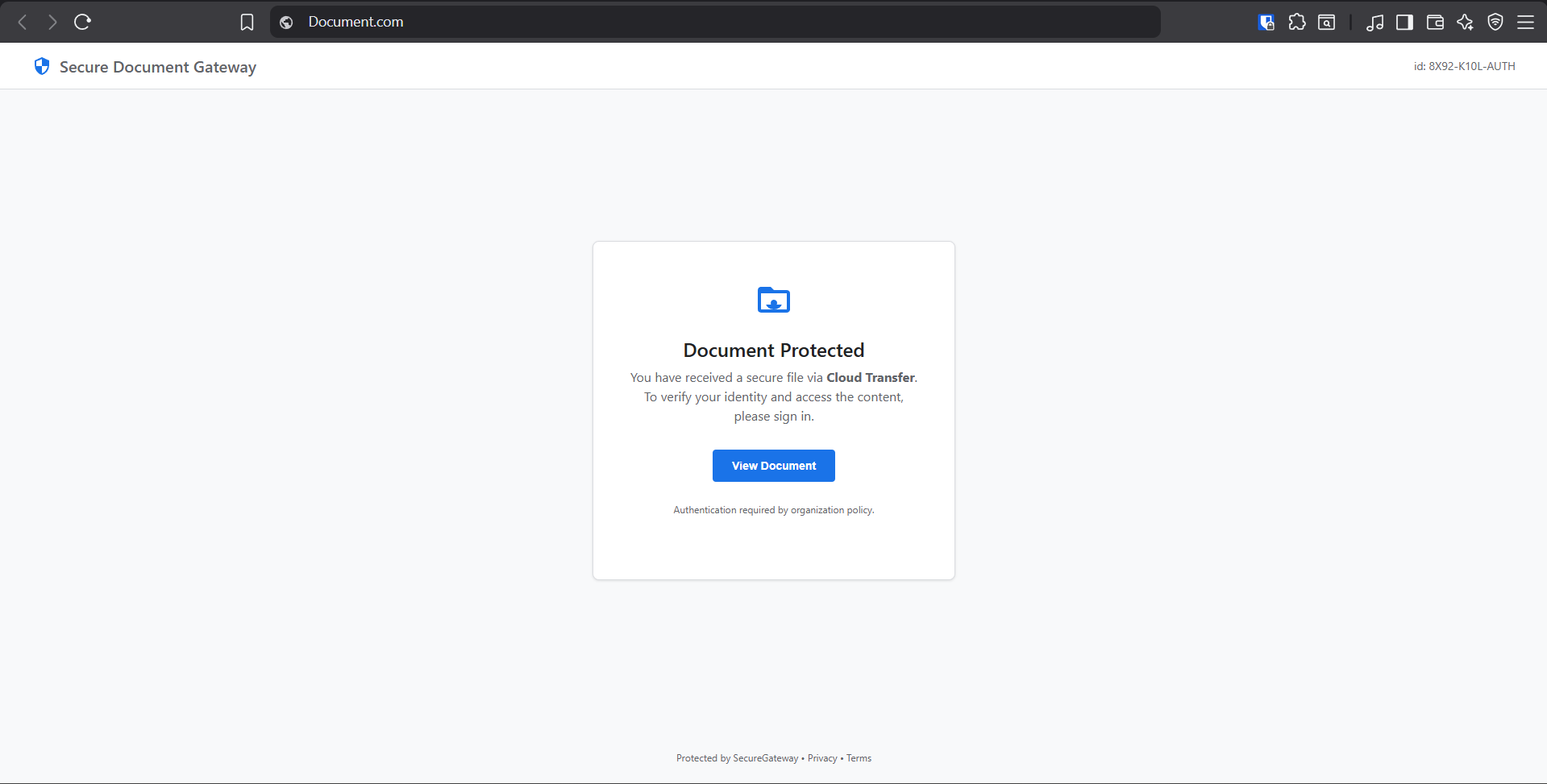
The victim sees a video stream of a browser. They don't see the difference. The site which is loaded—for example, Facebook.com—is not some broken clone with buttons that don't work. It is the official Facebook site running on my server.
But the plot twist is: the victim is basically signing in to my browser, which I have total control over. I can see the data, the credentials, and the active session cookies.
How the VNC Phishing Attack Works
Basically, you stream a browser instance that you are already running inside a Docker container. Think of it like live-streaming your screen to YouTube, but the viewer doesn't know it's a stream because it is fully interactive.
- The Setup: I run a Firefox browser inside a Docker container on a cloud server.
- The Stream: I use a tool called NoVNC to stream that browser to the victim via the web.
- The Trap: When the victim types, their keystrokes are sent to my server.
Why is this dangerous?
Traditional phishing fails because the URL bar gives it away. But in this attack, I can hide the URL bar completely (using Kiosk Mode) or draw a fake one on top of the video stream.

Since the browser is running on my machine, not theirs, I can bypass 2FA. Once they log in, the session is active on my computer. I can just disconnect them and keep using their account.
The "Chameleon" Technique
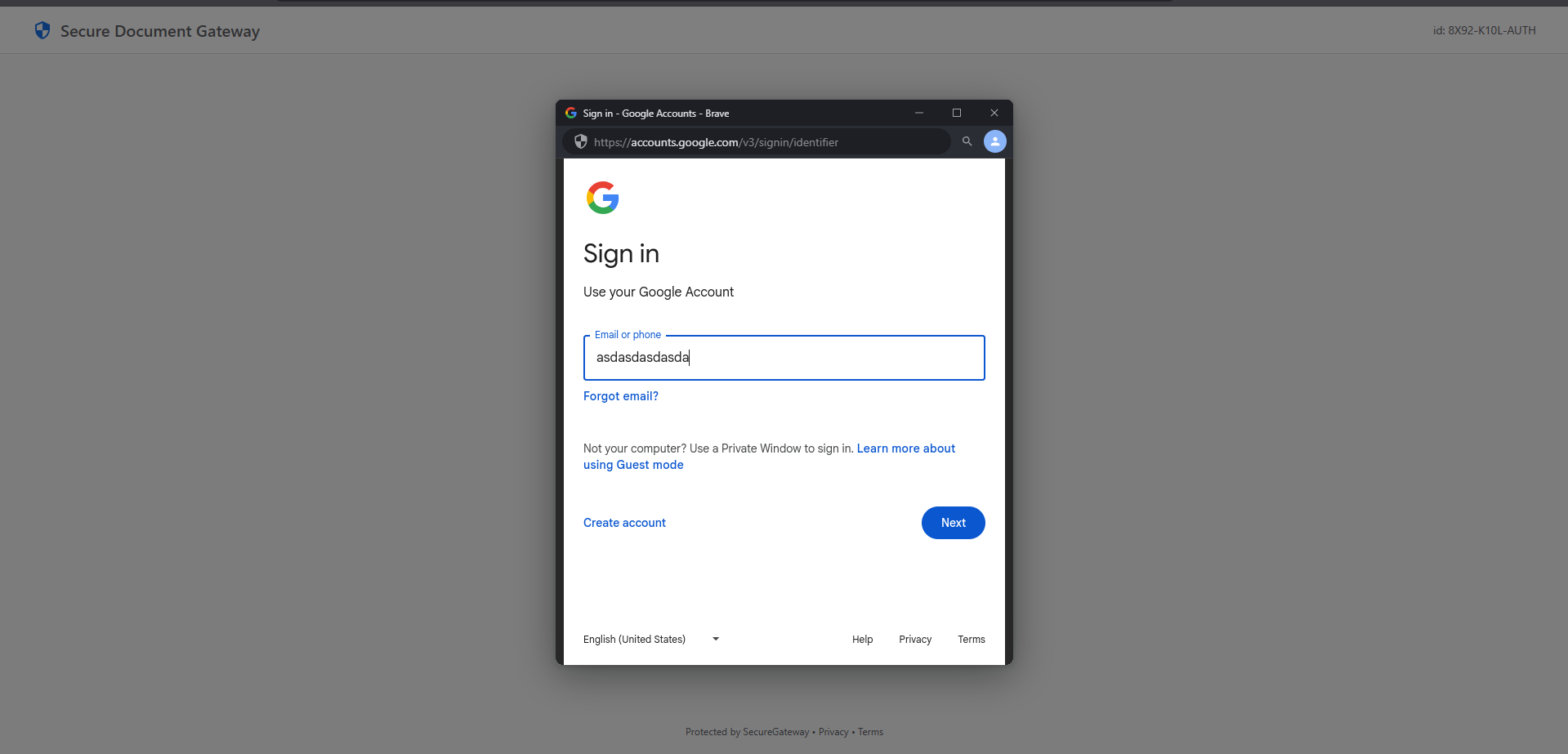
To make this totally convincing, I built a hybrid system. I didn't just want a raw video stream; I wanted it to feel like your operating system.
I used JavaScript to fingerprint the user's device.
- Are you on a Mac? The fake window draws those little red/yellow/green traffic light buttons.
- Are you on Windows? It draws the standard square buttons.
- Using Brave Browser? I even added the little Lion Shield icon to the fake URL bar.
The result? The victim verifies the visual cues (HTTPS lock, correct URL, familiar layout) and feels safe.
Mobile: The Invisible Tab
But what about mobile? You can't just pop up a window on an iPhone. It looks weird.
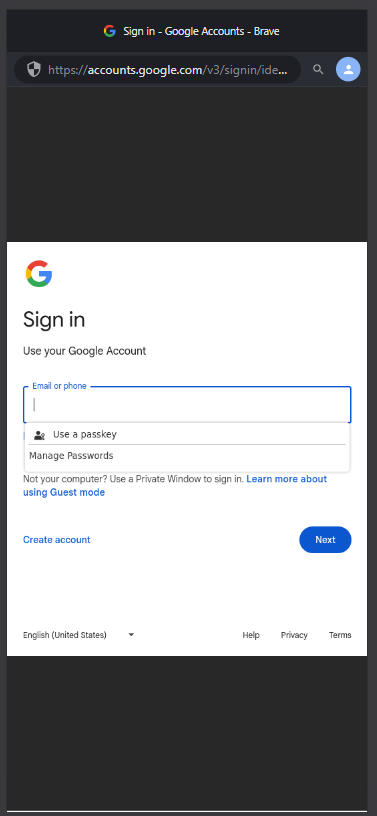
So, I optimized the attack for mobile users. Instead of a popup, I simulate a new full-screen tab.
- I hide all the desktop controls.
- I stretch the video stream to fill the entire height of your phone screen (
100dvh). - It looks exactly like you've been redirected to
accounts.google.com.
Because mobile screens are small, users are used to "black bars" or weird aspect ratios in videos. They ignore the little imperfections and focus on the login form.
The Limitations (Being Real)
Okay, let's be real. This isn't magic. It has flaws.
- Hardware Keys: If you use a physical YubiKey, this attack fails hard. The USB connection cannot travel through the video stream.
- "New Device" Alerts: Google knows my server is in a Data Center. It will likely ask you to "Verify it's you" on your phone.
- Lag: Since it's a video stream, the mouse might feel a bit "floaty". Gamers might notice; your grandma won't.
Conclusion
This research proves that "checking the URL" isn't enough anymore. If the browser itself is compromised (or simulated), the visual indicators we trust become the very things that deceive us.
Disclaimer: This project is for educational purposes only. Don't be evil.